Website
When working with Gamma, you will have to use the website for some configuration.
User Clients
This section describes how to create and manage a User Client.
Creating a User Client
Info
To create a client you must have a Gamma account, you can register yours on the website. Detailed instructions can be found on wikIT.
After creating a Gamma account you can follow these steps to create your first Gamma client:
-
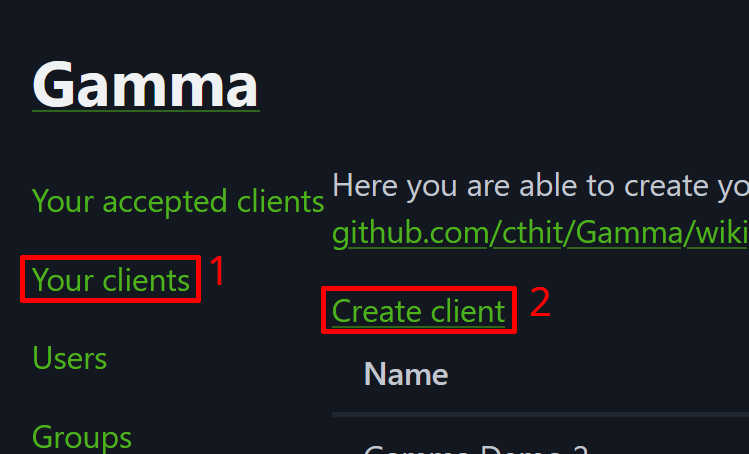
Login to https://auth.chalmers.it with your Gamma account and go to the "Your clients" menu and click "Create client". Or go directly to https://auth.chalmers.it/my-clients/create.
-
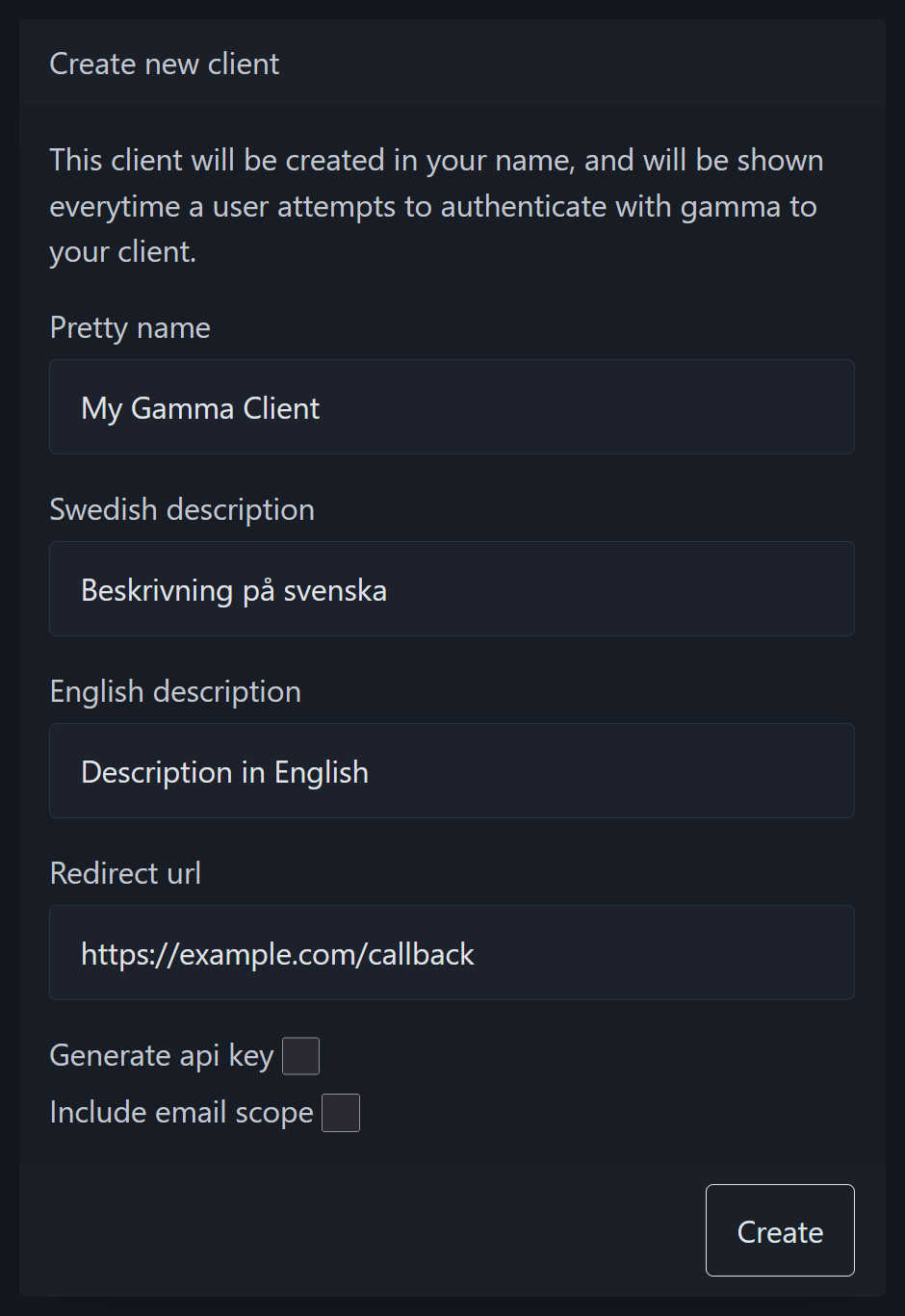
Fill in your client details, here is an explanation of the different fields:
| Field | Description |
|---|---|
| Pretty name | The name that is shown to your users when authorizing your client. Look at the authorization page for reference. |
| Swedish description | A short description in Swedish explaining what your client is for. Appears on the "Your accepted clients" page for users with Swedish as their preferred language. |
| English description | A short description in English explaining what your client is for. Appears on the "Your accepted clients" page for users with English as their preferred language. |
| Redirect url | This is the URL that users will be redirected to after authorizing your client as part of the OAuth flow. You can read more about redirect URLs in this article by OAuth 2.0 Simplified. |
| Generate api key | Whether or not an API key should be created for this client, this cannot be done after creating your client. An API key is required for the API key authorization. |
| Include email scope | Select this option if you need access to the email adress of your users. Read more in the scopes section. |
Editing your client
Editing clients is limited by design to avoid bait-and-switches where a client disguises itself as something else after authorization1. The only allowed operations on a client after creation are:
- Resetting the client secret (must be an administrator2)
- Resetting the API key (must be an administrator3)
- Creating or deleting client authorities
- Deleting the client
Creating client authorities
For an introduction to client authorities. See the Client Authorities section in the Client API documentation.
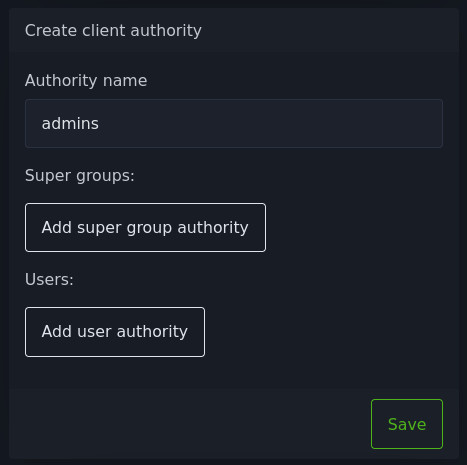
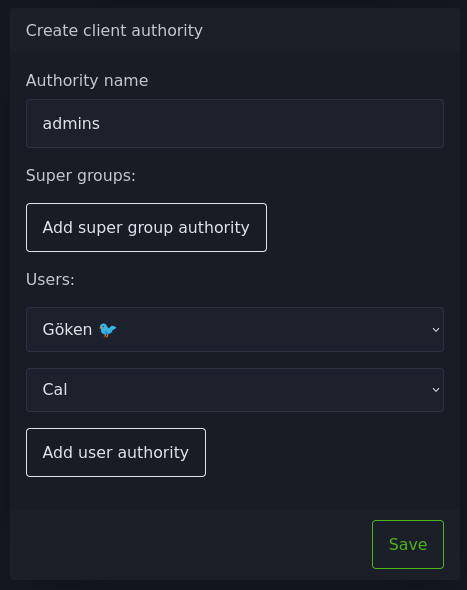
To create a client authority, scroll down to the Create client authority section on the page of your client. There you can fill in the name of the authority, this is the string which will be returned in the Client API.
Then you can add super groups to the authority:
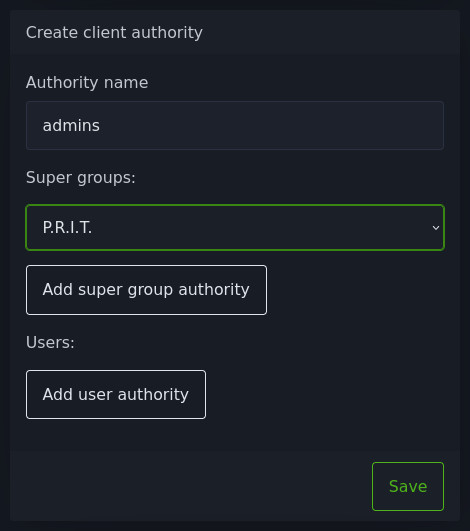
You can also add users to the authority:
Official Clients
This section describes how to create and manage an Official Client.
Creating an Official Client
Only Gamma administrators can create an official client. It is similar to Creating a User Client except for being on the Official Clients page instead, or directly at https://auth.chalmers.it/clients/create.
When creating an official client there is an additional option to add Super Group Restrictions.
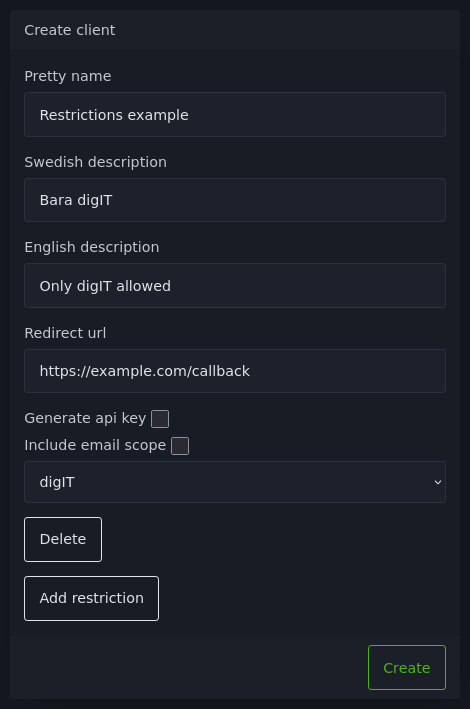
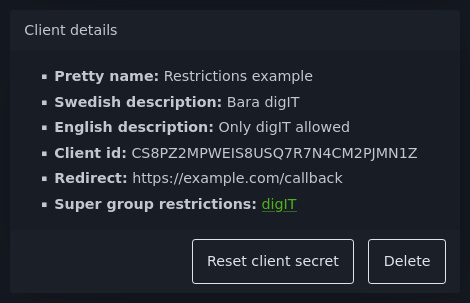
After the client is created you can view the restrictions below Client Details.
Editing an official client
See Editing your client.
The Authorization Page
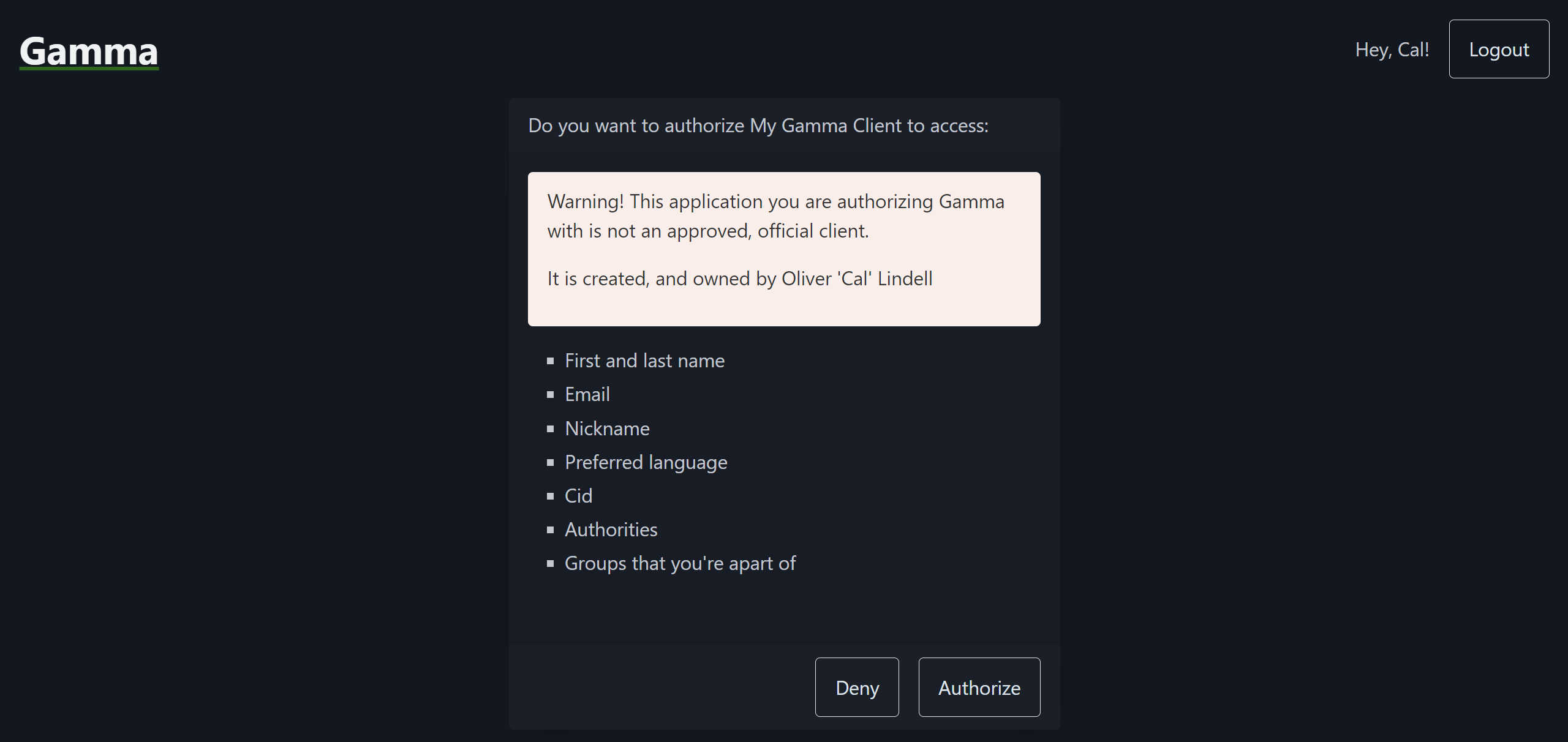
When authorizing a client the user will be presented with the following information:
- The pretty name of the client.
- A warning if the client is a User Client.
- Which data will be made available to the client if authorized.
- The Deny button which will redirect the user to the redirect URL of the client without authorizing them.
- The Authorize button which will authorize the client to access the user's data and redirect the user to the redirect URL of the client.
See the screenshot below for an example of an authorization page for a User Client.
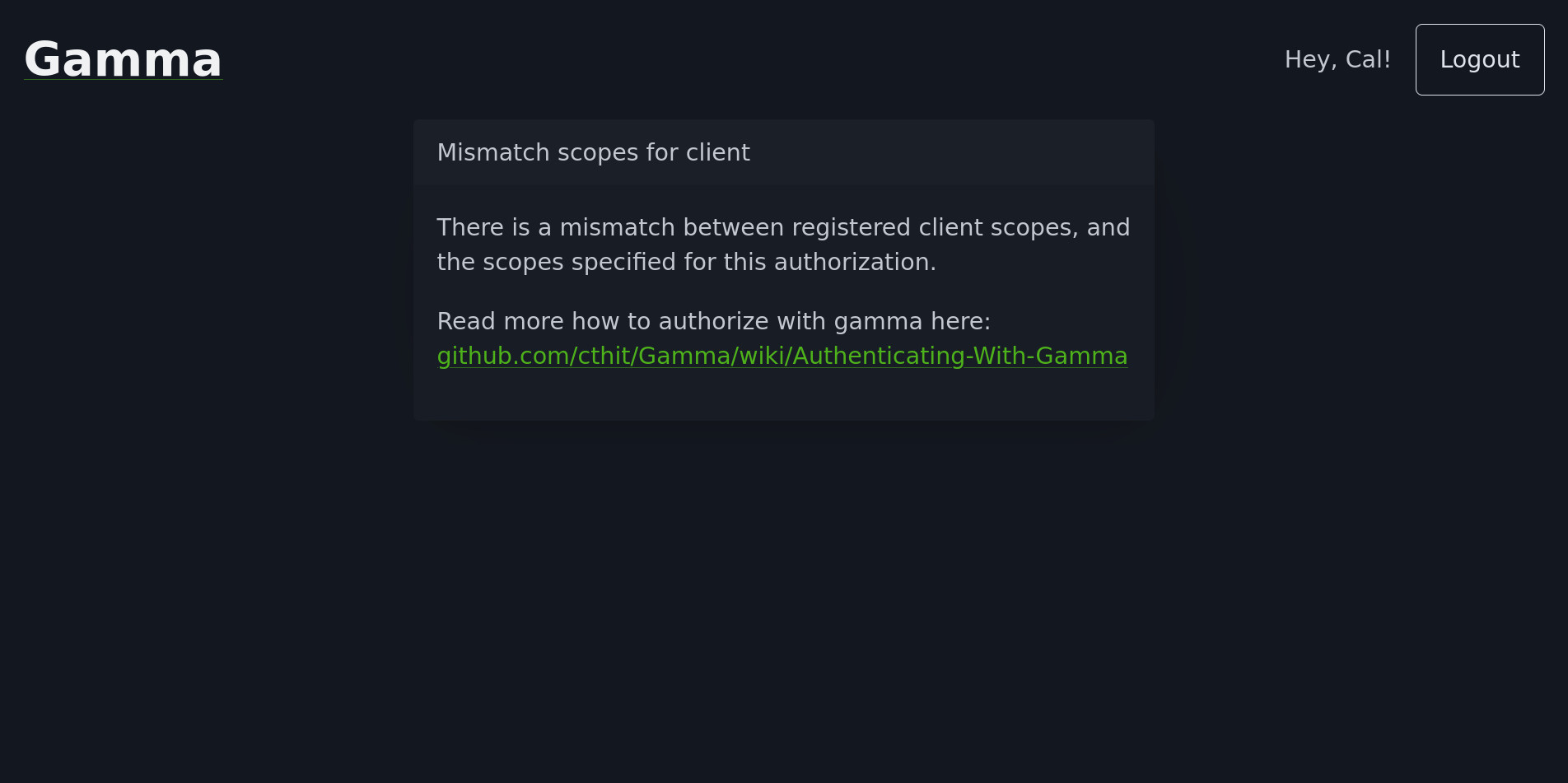
Mismatched Scopes
If the requested scopes do not match the registered client scopes the user will instead see this error screen.
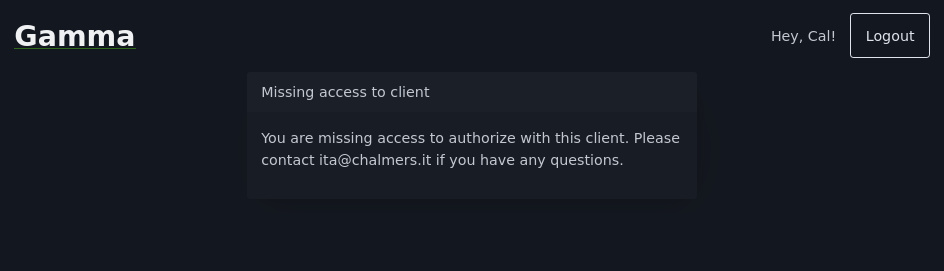
Missing Access
If the authorizing an Official Client with Super Group Restrictions the user will see this error screen if they are not in at least one of the super groups.
Last modified on: 2026-08-24 19:45:55
-
Comment by Portals on cthit/Gamma issue #943 on GitHub, Add ability to edit client details — https://github.com/cthit/Gamma/issues/943#issuecomment-3417938965 ↩
-
cthit/Gamma issue #937 on GitHub, Unable to reset client secret as non-admin user — https://github.com/cthit/Gamma/issues/937 ↩
-
cthit/Gamma issue #936 on GitHub, Unable to reset API key of client as non-admin user — https://github.com/cthit/Gamma/issues/936 ↩
-
authorityNamePatterninAuthorityName.java. cthit/Gamma on GitHub — https://github.com/cthit/Gamma/blob/50f8c1e01c9891aa694cade6a325fa2fed80eba8/app/src/main/java/it/chalmers/gamma/app/client/domain/authority/AuthorityName.java#L27 ↩